
The Invisible Risk: Why Physical Fences Fail and Restricted Area Monitoring wins
Traditional fences and warning signs will always stop those that follow the rules, becuase those things do not have eyes- metaphor for AI Virtual Fencing or Restricted Area Monitoring. For those who cut corners, it will be too late when they step into hoisting areas and deep fundation pits only becuase they rush to meet the deadlines. You can image how dangerous and scaring these scenes could be.
So in 2026, static physical defenses are no longer sufficent to meet the standards of the govenments security comliance and construction site should be safer in high demand.
What is AI Restricted Area Monitoring? (Virtual Fencing)
For those who don’t know the definition of AI restricted area monitoring, you can imagine to draw to rectangle for a square on the photo of the construction site and the enclosed space is called virtual fencing when your replace the photo with real-time stream of CCTVs[ site cameras or even drone cameras].
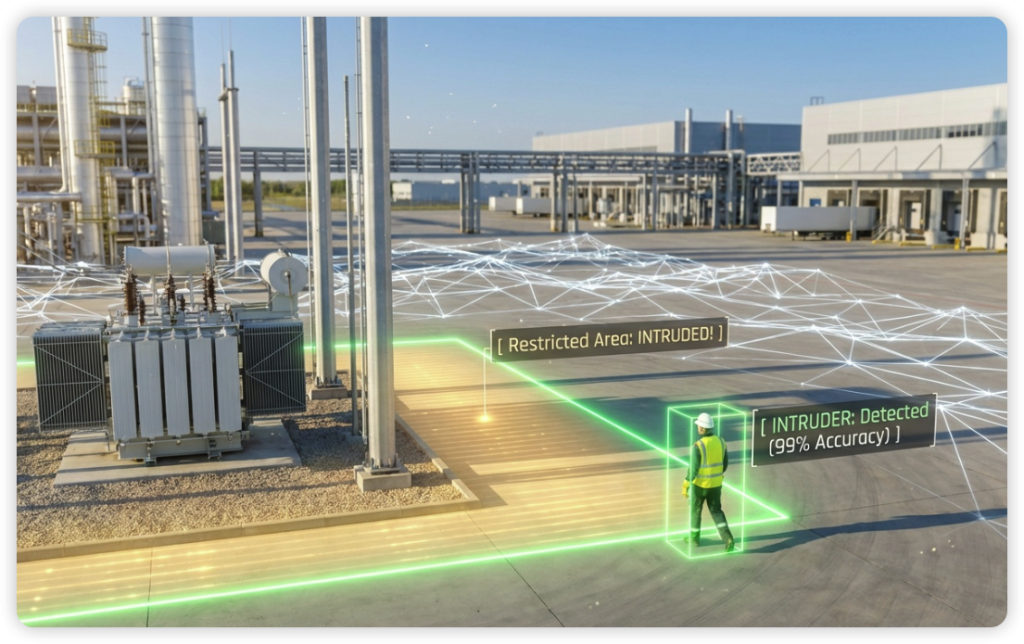
So what is the usage of Restricted Area Monitoring ? You may ask. The answer is this virtual fence will allow you to monitoring any moving person entering the space, so the person is our target, when the target move into the space or even step onto the vitual line of the rectangle your draw, our algorithm will detect it and send waring immediate to an alarm and the manager’s emailbox.
Advanced Features for High-Stakes Environments
- Multi-Level Alerting: Now you understand what virtual fencing is, so you can draw multiply rectangle on the canvas of the camera footage, and you can also classsify them with red, yellow and blue space. When a person entering different space, your alarm plays different audios and alogrithm send different emails to the managers’ mailbox.
- Time-Based Access Control: Another thing you can do is to put the monitoring on schedule.Further practice will be: Entry is permitted during the day for construction work, and automatically switches to “anti-theft/illegal intrusion” mode at night.
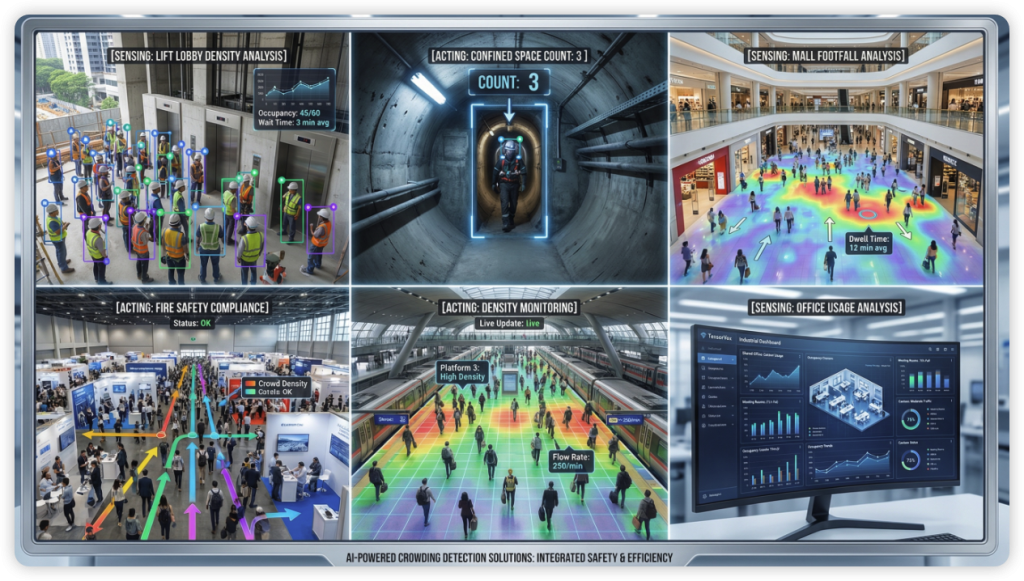
- Crowding Analytics Linkage: Another usage is people counting, Tensorvox has a solution of Crowding Detection, when the number of people gathering too much in the rectangle you draw, the horn will alarm. This solution is used in many security considering situations.
For Partners: The “Shield” for Consultancies & Distributors
When you are reading this article, you may be the consultancy company that need this AI Virtual fencing solution for the clients you are servering in order to provide “unalterable” violation records as a basis for determining liability after an incident (Liability Protection).
Maybe you are the distributor or integrators, and it is good news that tensorvox restricted area monitoring solution support all kinds of cameras that support RTSP and your cliens can reuse the old facilties.
Learn more about our Restricted Area Solutions.
Contact our Singapore/USA office for a live demo.
Reference sites you may find informative for regulations and comlience:
FAQs of Restricted Area Monitoring
Q1: How does TensorVox minimize false alarms in restricted areas?
Unlike traditional motion detection that triggers for every falling leaf or shadow, our Restricted Area Monitoring utilizes deep-learning neural trackers. It specifically identifies human and vehicle signatures, ensuring that alerts are only triggered by genuine unauthorized entries, significantly reducing “alarm fatigue.”
Q2: Do I need to replace my existing IP cameras to use this system?
No. TensorVox is an open-platform solution compatible with almost any existing camera that supports RTSP or ONVIF protocols. You can upgrade your current “dumb” surveillance system into a smart AI-powered safety network without a massive hardware overhaul.
Q3: Is the AI monitoring compliant with privacy laws like GDPR or PDPA?
Yes. We prioritize “Privacy by Design.” Our AI focuses on detecting behavioral violations (e.g., unauthorized entry) rather than identifying specific individuals unless requested. All metadata processing can be done at the Edge, meaning raw video never needs to leave your local network, ensuring total compliance with Singapore’s PDPA and global standards.
Q4: How fast are the notifications when someone enters a No-Access Zone?
TensorVox provides near-instantaneous (sub-second) alerts. By processing data on our Edge AI boxes, we eliminate the latency often found in cloud-only solutions. Alerts can be pushed via mobile apps, email, or integrated directly into your site’s central VMS or siren system.
Q5: Can I set different monitoring schedules for different zones?
Absolutely. You can customize active monitoring hours for every zone. For example, a heavy lifting area can be a Restricted Area during working hours, and automatically switch to a High-Security Intrusion Zone after hours, triggering different alert protocols for each scenario.